TeraBox AI Presentation Maker is an online tool designed to help users easily create presentations using artificial intelligence. It leverages AI technology to streamline the process of designing, formatting, and enhancing presentations, making it an ideal solution for professionals, students, or anyone who needs to quickly put together a presentation.
What is TeraBox AI Presentation Maker?
TeraBox AI Presentation Maker is an AI-powered platform that helps users generate presentations without the need for advanced design skills or complex software tools. It is part of the TeraBox suite, which includes cloud storage and other productivity tools. The main function of this AI Presentation Maker is to assist in creating presentations based on input prompts, such as topics, titles, or themes, and then automatically generating slides.
The tool uses artificial intelligence to suggest layouts, design elements, and content ideas that align with the user’s input. It helps save time and effort in building a presentation, as the AI handles many of the tedious tasks like formatting, choosing themes, and arranging content.
Key Features of TeraBox AI Presentation Maker
- AI-Powered Content Generation:
The main feature of the TeraBox AI Presentation Maker is its ability to generate relevant content for your slides based on a provided topic. You can give it a title or subject, and it will automatically create slide content, from headings to bullet points. - Design Assistance:
It provides users with various design suggestions, including layouts, font styles, color schemes, and image suggestions. The AI helps create professional-looking slides, even if you don’t have an eye for design. - Customizable Templates:
TeraBox offers a selection of templates that can be customized. You can choose from different styles, colors, and themes that suit your specific needs. These templates can help you get started quickly, without needing to spend time selecting design elements. - Ease of Use:
TeraBox AI Presentation Maker is designed to be user-friendly. It allows even those with no design or technical experience to create presentations that look polished and professional. Simply enter your topic, and the tool does the rest. - Cloud Integration:
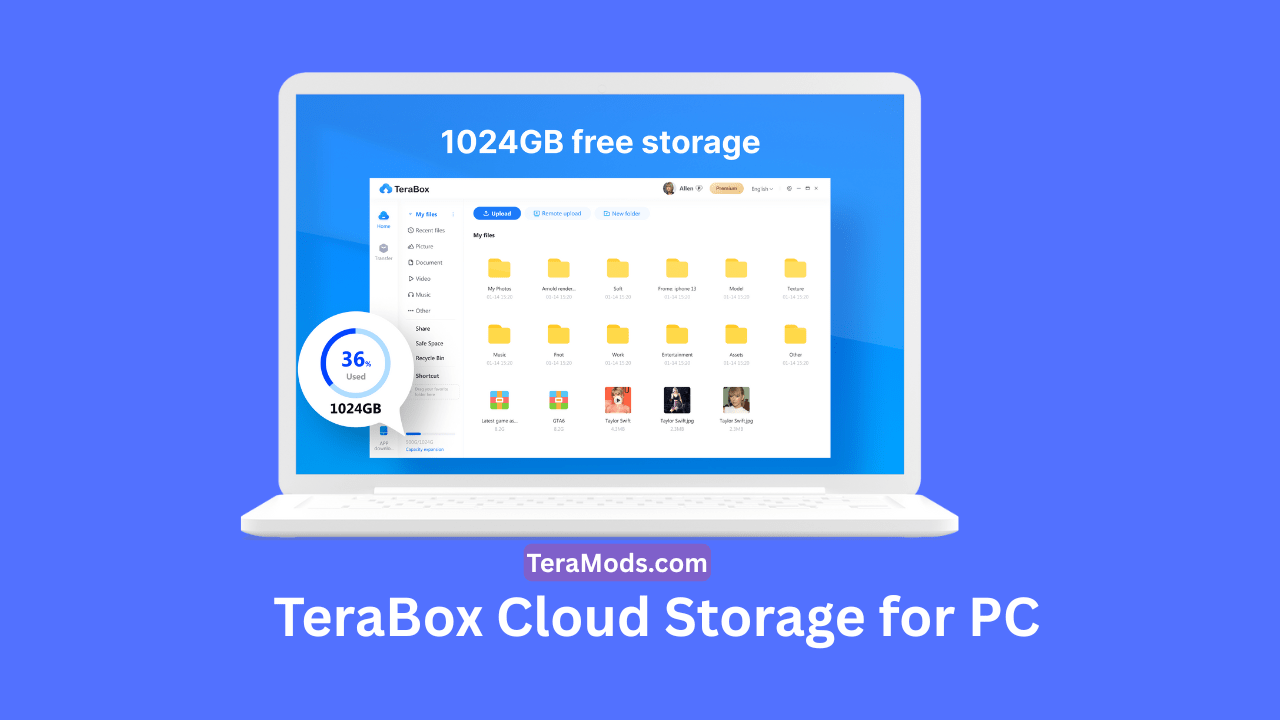
As part of the TeraBox platform, it integrates with cloud storage, which means you can save your presentations directly to the cloud and access them from anywhere. This integration ensures that you can work on your presentations across devices without worrying about storage issues. - Export Options:
Once your presentation is ready, TeraBox AI Presentation Maker allows you to export your slides in various formats, such as PowerPoint (PPT), PDF, or even as an image file, depending on your preference.
How Does TeraBox AI Presentation Maker Work?
Using TeraBox AI Presentation Maker is quite straightforward:
- Input Your Topic:
The first step is to enter the topic or title of your presentation. This could be anything from a business pitch to a school project, or a general topic like “Artificial Intelligence in Healthcare.” - AI Generates the Slides:
Based on your input, the AI will generate an outline for your presentation. This includes suggested titles, bullet points, and even some stock images or illustrations related to the content. - Choose a Template:
After the content has been generated, you can select a template that suits your style. TeraBox offers a variety of templates that can be customized to fit your presentation’s theme. - Review and Edit:
You can then review the presentation and make any necessary edits. You might want to tweak the wording, change the layout, or adjust the design to better fit your needs. - Export Your Presentation:
After you’re happy with your presentation, simply export it in the desired format, and it’s ready for sharing or presenting.
Benefits of Using TeraBox AI Presentation Maker
- Saves Time:
It eliminates the need for designing slides from scratch or coming up with all the content yourself. The AI does the hard work, so you can focus on fine-tuning your message. - User-Friendly:
Even if you have no experience with presentation design or AI tools, TeraBox’s intuitive interface makes it easy to create a polished presentation. - Perfect for All Skill Levels:
Whether you’re a beginner, an educator, a student, or a business professional, the AI Presentation Maker can cater to various needs without requiring advanced design or technical skills. - Professional Results:
The AI generates well-designed slides, which can be particularly helpful for people who struggle with graphic design or layout choices. - Cloud-Based Convenience:
The cloud storage feature allows you to store your presentations and access them from any device, making it convenient for collaboration or working on the go.

Who Can Benefit from TeraBox AI Presentation Maker?
- Students:
Students working on presentations for class can use the tool to quickly generate slides, helping them focus on their research or speaking notes rather than spending time formatting. - Business Professionals:
Business presentations need to be clear, concise, and professional. TeraBox’s AI Presentation Maker helps create business slides efficiently, making it easier to pitch ideas or share information. - Teachers and Educators:
Teachers can use the tool to create lesson plans, slides for lectures, and educational content, saving them time while producing engaging visuals for their students. - Content Creators and Marketers:
Content creators and marketers can use it to put together engaging presentations for webinars, pitches, or marketing campaigns.
Is TeraBox AI Presentation Maker Free?
While TeraBox offers a cloud storage solution that comes with free storage space, it’s unclear whether the AI Presentation Maker itself is entirely free or part of a paid subscription. You may need to check their website for up-to-date details on any pricing models or subscription plans.
Conclusion
TeraBox AI Presentation Maker is a powerful tool that simplifies the process of creating presentations. With AI-generated content, customizable templates, and an easy-to-use interface, it’s designed to save time and improve the quality of presentations. Whether you’re a student, professional, or teacher, this tool can help you create a presentation quickly and efficiently.